
Umbraco Security Patches: 27 October Readiness Plan
Umbraco has announced security patches for CMS, Forms and Umbraco AI on Tuesday 27 October 2026 at 08:00 UTC. The CMS and Forms issues include high-severity vulnerabilities, but full technical details and fixed package versions will remain confidential until the patches are released.
For Australian teams, the release lands at 7:00 pm AEDT. That creates a short but useful preparation window: identify every affected project, confirm who can deploy it, rehearse the business tests and decide whether the change happens that evening or early the next morning.
This guide is for business owners, digital managers, operations leaders, Umbraco site owners and technical decision-makers. It separates what Umbraco has confirmed from what is not yet public, then turns the announcement into a practical patch plan.
Why this Umbraco update is trending now
Umbraco published the security heads-up on 22 October because the forthcoming CMS and Forms issues are rated high severity. Patches and the detailed advisory are due five days later, on 27 October.
The notice is unusually actionable before disclosure. It names affected release families for Umbraco CMS, Forms and AI; confirms that Umbraco 14, 15 and 16 will not receive public fixes; and explains how Cloud projects will be handled. Organisations therefore do not need to wait for technical exploit details before assigning owners, checking versions and reserving a deployment window.
The commercial risk is broader than a software number. An Umbraco site may carry lead forms, customer portals, campaign pages, protected content, CRM integrations and internal workflows. Patch readiness is part of business continuity, not merely a developer housekeeping task.
Check CMS, Forms and AI separately
A site can use more than one affected package, so record each installed version instead of treating Umbraco as a single number.
Umbraco CMS
High severity affects version 17 through 17.7.1 and version 18 through 18.2.1. Umbraco 13 through 13.16.2 is affected by a moderate issue.
Umbraco Forms
High severity affects 13.0.0–13.9.11, 17.0.0–17.6.1 and 18.0.0–18.2.1. Record Forms independently from the CMS.
Umbraco AI
Moderate issues affect several Core, Agent, Deploy and Search package ranges. Cloud customers must update these add-ons manually.
Umbraco 14–16
These end-of-life versions will not receive public CMS or Forms patches. They need an upgrade or a documented risk and containment plan.
What is confirmed, and what is not
| Confirmed now | Not public until 27 October |
|---|---|
| CMS and Forms include high-severity issues | The vulnerability mechanics and exploit path |
| Umbraco AI includes moderate issues | CVE identifiers and detailed risk conditions |
| Affected product and version ranges | The final fixed package version for each product |
| Release time: 27 October at 08:00 UTC | Version-specific upgrade notes and exceptional steps |
| Cloud handling for CMS, Forms and AI | Whether any compensating controls are recommended |
Do not fill those gaps with assumptions. Prepare the inventory, people, environments, backups and tests now. On release, read the complete advisory and package notes before approving the final deployment command.
Build the inventory before the patch arrives
Create one row per production site or environment. Do not rely on a portfolio spreadsheet that records only the major CMS version.
| Field | Why it matters |
|---|---|
| Site, owner and business function | Prioritises revenue, lead, service and operational impact |
| Hosting model | Separates Umbraco Cloud from self-managed or third-party hosting |
| CMS package and exact version | Confirms whether the published affected range applies |
| Forms package and exact version | Forms can be affected even when CMS tracking is current |
| Umbraco AI package names and versions | Each add-on has its own affected range and manual Cloud action |
| Other packages and custom code | Defines the compatibility and regression surface |
| Repository, pipeline and environment access | Proves the team can build and deploy, not only identify the site |
| Backup and rollback evidence | Shows the last restore test, owner and recovery target |
| Monitoring and incident contact | Connects deployment health to an authorised decision-maker |
If an agency or previous developer controls the repository, hosting or deployment credentials, resolve that access gap before the advisory lands. A known patch without a deployable codebase is still an unmanaged risk.
Cloud and self-hosted sites need different runbooks
Umbraco Cloud
Umbraco says CMS and Forms fixes will be rolled out automatically on 27 October. That reduces package deployment work, but it does not remove business verification. Confirm every environment is reachable, not mid-deployment and on a compatible minor-version path. Umbraco's Cloud documentation says an auto-upgrade can be stopped when environments are out of alignment, return HTTP errors, fail comparison checks or have an active deployment.
Umbraco AI add-ons are not covered by the automatic CMS and Forms update. Inventory and plan those package changes manually.
Self-hosted or third-party hosted
Your team or provider owns the package update, build, deployment, database migration where applicable, restart and production verification. Confirm access to source control, package feeds, secrets, deployment pipelines, hosting and logs. Ask the provider for a named window and evidence, not a general promise that updates are managed.
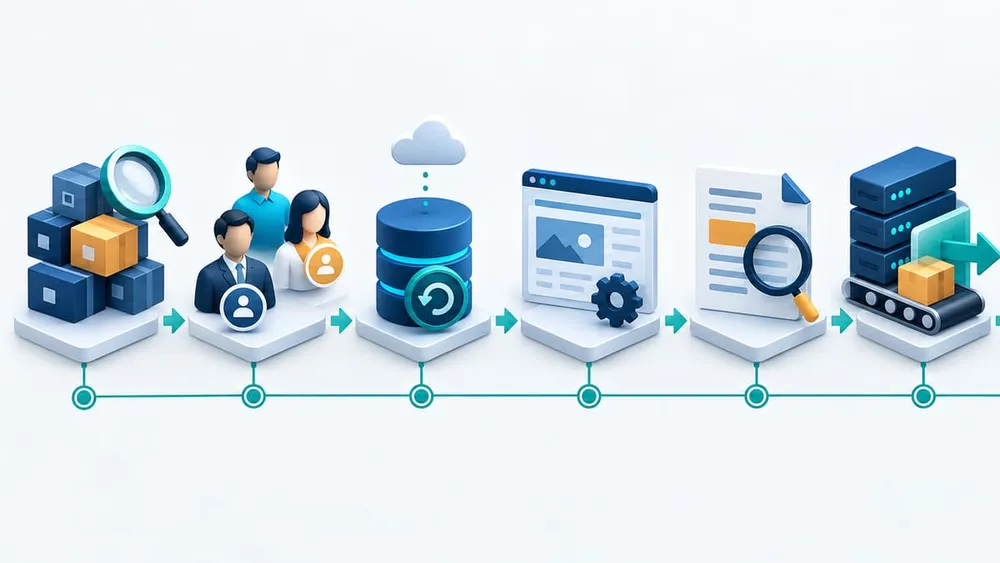
Move from inventory to verified recovery
An eight-step Umbraco security update plan
1. Identify every affected package
Record exact CMS, Forms and Umbraco AI versions for every environment. Include dormant projects, campaign sites and internal portals that may not appear in the main website register.
2. Assign the change and incident owners
Name who reads the advisory, approves risk, performs the update, runs tests, communicates status and authorises rollback or containment.
3. Prepare a recoverable backup
Back up the database, files, media configuration and deployable code as appropriate. Record how to restore them and who has permission to do so.
4. Rehearse in a production-like environment
Restore current content where practical, apply the normal package process and run the business test matrix. The final package number will change on release, but the path and ownership should not be new.
5. Read the full advisory before deployment
At 7:00 pm AEDT on 27 October, confirm fixed versions, any exceptions, dependency order and instructions. Do not use a guessed version or pre-release workaround.
6. Build and deploy through the normal pipeline
Keep the package lock file, build artefact and environment configuration traceable. Avoid one-off production edits that cannot be reproduced.
7. Verify business and technical health
Confirm backoffice access, content delivery, forms, search, media, authentication, integrations, scheduled tasks and logs. Verify the running application reports the intended versions.
8. Monitor and retain evidence
Watch errors, latency, form submissions, integration queues and security signals. Store the version evidence, test results, decision log and rollback outcome with the change record.
Use a compact acceptance matrix
| Scenario | Expected evidence | Owner |
|---|---|---|
| Public pages and priority landing pages | Correct status, content, navigation, media and cache behaviour | Digital or marketing |
| Backoffice login and editing | Authorised users can sign in, edit, preview and publish | CMS owner |
| Forms and notifications | Submission, validation, storage, email and CRM hand-off succeed | Marketing operations |
| Search and Umbraco AI features | Queries, indexes, agents and governed outputs work as designed | Product or technology |
| Authentication and protected areas | Member login, roles, sessions and access rules remain correct | Application owner |
| APIs and business integrations | CRM, booking, payment, analytics and internal workflows process correctly | Integration owner |
| Deployment and infrastructure | Health checks, instances, jobs and logs show the expected version and state | Platform owner |
| Rollback or restore | The authorised owner can execute the documented recovery path | Incident lead |
Run the priority rows in staging before release where possible, then repeat them after production deployment. A successful homepage response is not enough evidence for a site that collects leads or powers customer operations.
Plan for the 7:00 pm AEDT release
The patch and full advisory are scheduled for 7:00 pm AEDT on Tuesday 27 October. Choose the operating model before then:
- Evening deployment: appropriate when the affected site is critical, the technical team is available, the test matrix is rehearsed and business owners can verify the outcome.
- Prepared next-morning deployment: appropriate when staffing or vendor coverage is stronger during business hours and the organisation has documented the interim risk and monitoring.
- Cloud verification window: monitor Umbraco status information, confirm the CMS and Forms update completed, verify the site and separately handle any AI add-ons.
Base urgency on the final advisory, exposure and business criticality. Do not turn a high-severity announcement into an unplanned production change, and do not let a preference for perfect timing become an open-ended delay.
What if the site runs Umbraco 14, 15 or 16?
Umbraco says these releases are end of life and will not receive public CMS or Forms fixes for the 27 October issues. A patch-only task is therefore not available.
Give the business a written decision with four parts:
- Exposure: Is the site public, authenticated, internally restricted or already scheduled for retirement?
- Upgrade route: Can it move to Umbraco 17 LTS or Umbraco 18, and what custom code, packages and infrastructure must change?
- Interim controls: What access restrictions, monitoring, feature isolation or temporary service decisions are justified after the full advisory is known?
- Deadline and owner: Who funds, approves and delivers the supported destination?
Umbraco 17 is the current LTS release. Umbraco 18 is an active STS release. The right target depends on support horizon, package compatibility and product roadmap, not only the shortest technical path.
If you suspect compromise, separate response from patching
Applying an update does not prove that an already compromised system is clean. If logs, accounts, files, integrations or infrastructure show unexplained activity, switch to the incident plan rather than treating the deployment as the investigation.
Preserve relevant evidence, restrict unnecessary access, involve the authorised incident lead, review credentials and connected systems, and decide whether a clean rebuild or restore is required. Australian Signals Directorate guidance recommends clear roles and procedures for detection, containment, response, recovery, escalation and communication.
Do not publish vulnerability details, indicators or claims that are not in the official advisory. On 27 October, compare your observations with Umbraco's disclosure and seek qualified incident-response support where the evidence justifies it.
Give every patch decision an owner
The update moves faster when commercial, platform and communication responsibilities are agreed before disclosure.
Business owner
Sets priority, approves disruption and accepts residual risk.
CMS owner
Maintains the site inventory, editor tests and publishing checks.
Technical owner
Reviews the advisory, updates packages and produces version evidence.
Platform owner
Controls hosting, pipelines, health checks, logs and recovery.
Integration owner
Verifies forms, CRM, identity, search, payments and other dependencies.
Incident lead
Authorises containment, rollback, communications and escalation.
A practical 48-hour readiness plan
Today
- Inventory CMS, Forms and Umbraco AI package versions.
- Classify Cloud, self-hosted and provider-managed projects.
- Identify end-of-life Umbraco 14–16 sites.
- Confirm repository, pipeline, hosting and log access.
Before 27 October
- Assign change, verification and incident owners.
- Prepare backups and verify the recovery path.
- Rehearse the acceptance matrix in a production-like environment.
- Reserve the evening or next-morning deployment window.
- Freeze unrelated production changes.
At release
- Read the complete advisory and fixed-version notes.
- Confirm the final package set and dependency order.
- Update through the controlled build and deployment pipeline.
- Run technical health checks and business journeys.
After deployment
- Verify the running CMS, Forms and AI versions.
- Monitor errors, forms, integrations, queues and security signals.
- Record test results, exceptions and any rollback decision.
- Close remaining end-of-life upgrade and technical-takeover work with an owner and date.
Questions site owners are asking
Sources Checked
- Umbraco: Security heads-up for 27 October 2026
- Umbraco: Long-term Support and End-of-Life
- Umbraco: Release schedule and versioning
- Umbraco Documentation: Cloud product upgrades
- Umbraco Documentation: Manual CMS upgrade
- Umbraco Documentation: Upgrade your project
- Umbraco Documentation: Cloud upgrade FAQ
- Umbraco Documentation: Database backups
- Australian Signals Directorate: Defending medium-sized businesses
- Australian Signals Directorate: Incident response plans
Sources were accessed on 25 October 2026. The vulnerability details and fixed package versions were not public at publication time; confirm the 27 October Umbraco advisory before deployment.