
Shopify 2026-10 API: Integration Upgrade Checklist
Shopify API version 2026-10 becomes stable on 1 October 2026. Shopify's release notes call out code-impacting changes across order taxes, draft-order discounts, metafield filters, tax payload identifiers and customer-account checkouts. The release also changes parts of shipping, fulfilment and subscription handling while introducing useful analytics and storefront capabilities.
For merchants, this is not merely a developer version number. A missed edge case can surface as the wrong balance after an address change, a draft-order workflow that cannot read discount warnings, a product or order search that suddenly errors, a carrier rate that never appears at checkout, or an internal dashboard that misclassifies cancelled orders.
The practical response is a controlled upgrade. Inventory every app and integration that calls Shopify, identify the business journeys touched by 2026-10, test them against the release candidate, and verify financial and operational outcomes after deployment. Stores that use only standard Shopify features may need little direct work, but merchants with custom apps, ERP or warehouse connections, subscription tools, tax services, headless storefronts or private integrations should review their estate now.
Why the Shopify 2026-10 API release is timely
Shopify published the consolidated 2026-10 release notes on 25 September, leaving a short, useful window before the version becomes stable on 1 October. Release-candidate versions are intended for development testing rather than production, so this is the moment to run representative transactions in a development store and resolve failures before selecting the new stable version.
Shopify releases versioned APIs every quarter and supports each stable version for at least 12 months. That overlap means most merchants do not need a rushed production switch on day one. It does not remove the need for ownership: requests that target an inaccessible version can fall forward to the oldest accessible stable version, potentially changing behaviour later if an integration has been left behind. API responses expose the version actually used through the X-Shopify-API-Version header, which belongs in upgrade verification and monitoring.
The sensible objective is not “upgrade everything on 1 October.” It is “know what calls Shopify, test the affected paths, choose a supported target version deliberately, and schedule the production change with evidence.”
Four changes can break or alter business workflows
Start with the paths that affect money, customer journeys and the data used to make operational decisions.
Order tax recalculation
Changing the shipping address on an eligible unfulfilled order now recalculates tax and can create an amount to collect or refund.
Draft-order discount warnings
Queries selecting the removed priceRule field must move to discountTitle and discountCode before adopting 2026-10.
Metafield filters
Invalid filters now return an error instead of silently ignoring the predicate, exposing definitions and comparisons that were never valid.
Incomplete checkout queries
Customer.lastIncompleteCheckout and the related Checkout subtree are removed, with no replacement in the Customer Account API.
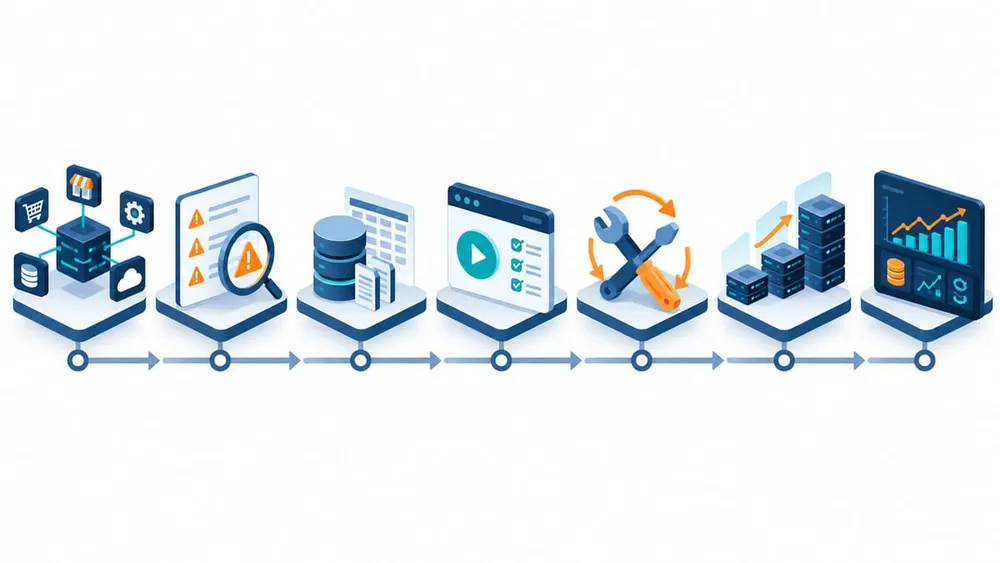
Move from API inventory to verified production outcomes
Step 1: build an integration and version register
Begin with systems, not code repositories. List every path that reads from or writes to Shopify: public and custom apps, ERP and accounting connections, warehouse and 3PL tools, returns portals, subscription platforms, tax services, product-information feeds, customer portals, headless storefronts, reporting jobs, serverless functions and manual scripts.
For each integration, record the owner, provider, production API version, APIs used, authentication method, data exchanged, schedules or webhook topics, monitoring location and the business process that fails if it stops. Check outbound request URLs, SDK configuration and response headers rather than relying only on documentation. One application can call different API versions through different workers or services.
Also identify who can test and approve each workflow. An API response can look technically valid while the commercial outcome is wrong. Finance should review tax and balance behaviour; operations should review fulfilment and shipping states; customer service should review order-edit and account journeys; ecommerce teams should review checkout, discounts and product discovery.
Step 2: test address changes as a financial workflow
In 2026-10, changing the shipping address on an eligible unfulfilled order through orderUpdate or the REST order update endpoint recalculates tax for the new destination. Shopify explains that recalculation does not apply in every case, including partially or fully fulfilled orders and orders that cannot be edited.
The integration must therefore handle both behaviour and consequence. After an address update, query the updated taxLines, totalTaxSet, order totals and balance. Compare the result with the pre-update state. A paid order may now have an amount to collect or refund, so define thresholds, approval rules, customer communications and reconciliation ownership before production.
Test at least: a move between Australian states or tax jurisdictions relevant to the store; an international destination change; a fully unfulfilled paid order; a partially fulfilled order; an ineligible order; an increase in total; a decrease in total; and an orders/edited webhook consumer. Confirm what reaches the accounting system, helpdesk and customer email, not only what appears in Shopify admin.
Step 3: update discount, metafield and customer-account queries
Draft-order discounts
The deprecated priceRule field is removed from DraftOrderDiscountNotAppliedWarning. Queries used by draftOrderCalculate, draftOrderCreate or draftOrderUpdate should request discountTitle and discountCode instead. Search shared GraphQL fragments as well as direct operations, then test an accepted code, rejected code, expired code and discount that conflicts with another rule.
Metafield filters
A filter that references an undefined, non-filterable or unsupported metafield now returns an error instead of silently ignoring the invalid predicate. That is safer, but it can expose a long-standing defect as an apparent upgrade failure. Inventory queries that filter products, orders or customers by metafield; confirm every definition allows filtering; verify the comparison operator is supported; and add an explicit error path so a failed filter never becomes an unfiltered export or automation run.
Customer accounts
The Customer Account API removes Customer.lastIncompleteCheckout and the related Checkout subtree. Shopify states that there is no replacement in that API. Identify whether the field powers a reminder, support view, account dashboard or recovery workflow. Remove the query and redesign the business process using an appropriate supported surface rather than substituting an undocumented assumption.
Step 4: verify shipping, imports and fulfilment states
Creating a carrier service in 2026-10 registers the service but no longer adds its rates to the General shipping profile automatically. If an installation or onboarding flow assumes that registration makes rates visible, a merchant could complete setup while checkout shows no new carrier option. Update the workflow to guide the merchant through the shipping-profile step or configure the rate through supported APIs, then place a checkout for every relevant zone.
Order imports gain a useful trackingNumbers array for multi-package fulfilments. If both trackingNumber and trackingNumbers are supplied, the singular field wins. Test single- and multi-package imports, carrier attribution, customer notifications, ERP round trips and idempotent retries so tracking data is neither lost nor duplicated.
The OrderDisplayFulfillmentStatus enum can also return FULFILLMENT_NOT_REQUIRED when an order has no quantity left to fulfil. Update exhaustive switch statements, generated types, filters, dashboards and warehouse queues. A fully cancelled order should not remain in an “unfulfilled” work list merely because an integration did not recognise the new state.
Step 5: plan subscription changes without rushing production
Shopify's new SubscriptionContractCalculation object is the successor to SubscriptionDraft for creating and editing subscription contracts. It replaces a stateful sequence of draft mutations with a calculate, poll and commit lifecycle through Shopify's checkout engine. The calculated snapshot can include pricing, tax, duty, discount, delivery and line totals before the change is committed.
This is an opportunity rather than an automatic day-one migration. Shopify says both APIs initially coexist and advises against building production integrations on the new flow before 2026-10 is stable. Subscription providers and custom app owners should review the migration guide, identify capabilities they need, and test failures as carefully as success: calculation timeout, failed webhook, stale customer input, abandoned commit, retry after uncertainty and reconciliation after a partial incident.
If a store does not create or edit subscription contracts through a custom integration, document that it is not affected. A good upgrade programme narrows scope as confidently as it identifies work.
Use new capabilities only where they solve a real problem
The release includes additions that may simplify future work. Shopify Analytics can make approved metafields and App Events queryable through ShopifyQL and can embed analytics components in apps. This could reduce a separate reporting stack for narrowly scoped merchant dashboards, but access, preview status, governance, cost and data-model fit should be assessed before replacing an established warehouse or business-intelligence platform.
The Storefront API's @inContext directive can now accept channelId, applying sales-channel context such as channel-specific availability and pricing across a query. Headless and multi-channel stores should test the right product, market and channel combinations rather than assuming that one context represents every storefront.
Shopify Functions can also request a signed-in customer's createdAt value. Any logic using account age must continue to handle guest buyers where customer data is unavailable. Treat these additions as backlog candidates with a business case, not reasons to expand the release scope while critical compatibility work is still open.
Test the complete commercial journey, not isolated API calls
A passing GraphQL response is only one layer of evidence. Verify what customers, staff and connected systems experience.
Money
Tax totals, discounts, paid balances, refunds, invoices, currency handling, accounting exports and daily reconciliation.
Checkout and shipping
Carrier rates by zone, guest and signed-in journeys, market and channel context, address edits and unavailable-rate handling.
Operations
Order imports, multiple packages, fulfilment queues, cancellation states, warehouse updates, retries and duplicate prevention.
Data and support
Metafield searches, dashboards, customer-account views, alerts, audit evidence and clear recovery instructions for staff.
A practical Shopify API upgrade plan
Days 1–2: discover
- Build the integration and API-version register.
- Assign a technical owner and business approver to every affected workflow.
- Review Shopify deprecation alerts, logs and response version headers.
- Mark each 2026-10 change as affected, not affected or still to verify.
Days 3–5: prepare and test
- Create representative development-store data for taxes, discounts, metafields, accounts, shipping and fulfilment.
- Update queries, enum handling and setup workflows in a branch.
- Run automated contract tests against the 2026-10 release candidate.
- Execute the business regression matrix with finance, operations and ecommerce owners.
Days 6–8: fix and rehearse
- Repair failures and rerun the complete affected journey.
- Test timeouts, duplicate delivery, partial failure and retry after uncertainty.
- Rehearse rollback or version reversion and confirm data reconciliation steps.
- Prepare support notes and dashboards for the release window.
Days 9–10: release and verify
- Move a controlled integration or traffic slice first where the architecture allows it.
- Confirm the actual response version, error rate, latency and webhook health.
- Reconcile tax, discount, shipping and fulfilment outcomes against expected records.
- Close the change only when technical signals and business totals agree.
Questions to ask app vendors and integration partners
Clear answers turn an invisible dependency into an owned upgrade plan.
Which version is in production?
Ask for the configured version, the response version observed in logs and the planned 2026-10 adoption date.
Which changes affect us?
Request a store-specific assessment covering operations used, data flows, custom extensions and known third-party dependencies.
What evidence supports readiness?
Ask for automated results, business-scenario coverage, development-store evidence and the person who approved the release.
How will failure be contained?
Confirm monitoring, alert ownership, rollback, retry safety, reconciliation and communication during a production incident.
What Australian Shopify businesses should prioritise
Small and medium merchants rarely have the time to analyse every platform change. Prioritise by consequence. Start with custom order editing, draft orders, metafield-driven workflows, carrier-rate setup, customer-account experiences, subscription contract management and integrations that send financial or fulfilment data beyond Shopify.
If those paths are provided by third-party apps, ask the vendor for version and test evidence. If they are custom, treat the upgrade as routine maintenance with a defined owner and budget. If nobody can identify where the code runs or how it is deployed, the immediate issue is technical ownership; an integration takeover and documentation exercise may be more urgent than the version change itself.
The result should be a repeatable quarterly practice: watch Shopify's changelog, maintain the system register, test release candidates, keep supported versions explicit, monitor outcomes and retire unused integrations. That discipline lowers the cost of each future upgrade and reduces the chance that a platform change becomes a trading incident.
Sources checked
VaniTech checked the following first-party Shopify sources on 26 September 2026:
- Shopify API 2026-10 release notes
- Shopify API versioning and support schedule
- Order address tax recalculation
- Draft-order discount warning field removal
- Metafield filter validation change
- Customer Account API incomplete checkout removal
- Carrier service and shipping-profile change
- Multiple tracking numbers for order imports
- New fulfilment status value
- SubscriptionContractCalculation early access
- Shopify app analytics capabilities
- Storefront channel context